The User Agent Switcher plug-in for Firefox has been a GREAT add-on and we all love it. 1 year and 27 weeks ago Ronan wrote a really simple, but useful configuration file for it that is available here on mobiForge (if you use Firefox it’s a MUST: [url=http://www.mobiforge.com/developing/blog/user-agent-switcher-config-file]User Agent Switcher config file[/url]).
Since Safari 3 it is possible to switch the User-Agent string the browser sends to the server. Initially it was to emulate other browsers, then they wisely added the iPhone and the iPod Touch so that designers could test their new iPhone-specific sites. Unfortunately it was not possible to personalise that list.
With the release of Safari 4 and thanks to a nice [url=http://www.macosxhints.com/article.php?story=20090625002236616]hint[/url] on Mac OS X Hints, I’ve built my own list of mobile devices. See how it looks like now (forgive the Italian at the bottom):
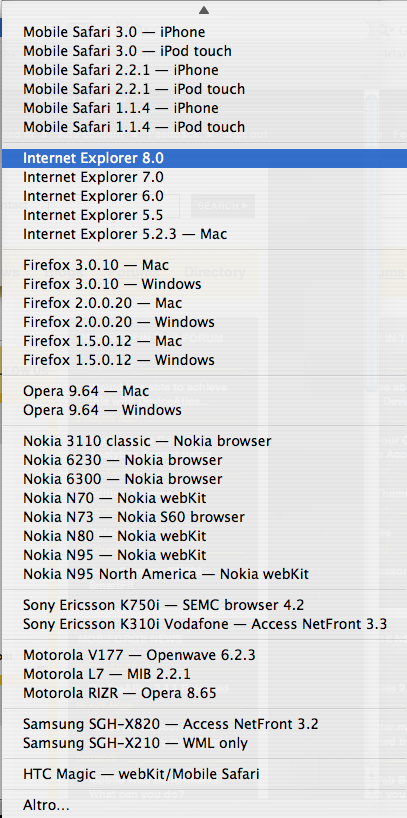
Of course the file is also available for download as an attachment to this article. Install instructions are quite easy:
- Close Safari
- Go to your Applications folder
- Right-click or CTRL-click and select [i]Show Package Contents[/i]
- Enter in [i]Contents[/i] and then [i]Resources[/i]
- Back your UserAgents.plist to a safe place
- Copy the UserAgents.txt that you downloaded into UserAgents.plist
- Start Safari
The file is just text, so if you want to add or change the list of devices it should be easy enough, it took me longer to select the User-Agents than editing. 😉